Canva vs Figma (2026): Which One You Actually Need.
Canva makes the graphic, Figma designs the screen. Canva Pro is $144 a year, a Figma Full seat $16 a month. Here is the one team that should use Figma Buzz instead.
- Canva makes content people consume. Figma designs interfaces people click. Most searches for this comparison are asking the wrong question, and the answer is to ask what you are making.
- Canva Pro is US$144 a year for one person, Business is US$250 a year per person, and Free costs nothing. Bulk Create, the feature that turns a spreadsheet into 50 finished designs, is Pro and up only.
- Figma Professional is $16 a month per Full seat on annual billing, $20 billed monthly. Dev seats are $12 and Collab seats $3. Viewers and commenters stay free on any paid plan.
- Figma Buzz (still in beta) is Figma's answer to Canva: locked brand templates, bulk edits, and gpt-image-1 and Gemini image generation. It is included on every seat, including the $3 Collab seat.
- Canva now owns Affinity, a pro vector, photo and layout app, and Canva Free includes access to it. The old reason to leave Canva for print-grade work is mostly gone.
- Solo and posting on a schedule: Canva Pro. Building a product: Figma for the screens, Canva for the marketing. A team already on Figma with a designer: try Buzz before buying Canva seats.
Canva vs Figma is the wrong question, so ask this one
People type "Canva vs Figma" because both are design tools that run in a browser and both have a free tier. That is where the overlap ends. Ask what happens to the thing once it is finished. If someone scrolls past it, it is content, and content is Canva's job. If someone clicks through it, it is an interface, and interfaces are Figma's job.
The thumbnail, the Instagram carousel, the sales deck, the Pinterest pin, the PDF lead magnet, the printed flyer: content. The signup screen, the pricing page layout, the mobile app, the component library a developer will turn into code: interface.
I run Canva every week for this site and the brands next to it. The quote reels for one of them come out of a single Canva Bulk Create run, a month at a time. I have never once wished that job happened in Figma, and if you are a solo founder whose design work is mostly posts, you will not either. (The opposite is also true. Designing a real app screen in Canva is like writing a contract in a greeting card tool. You can, and you will regret it.)
So the honest answer to the search is a sorting rule, not a winner. But there is a 2026 twist that the older comparisons have not caught, and it is the reason this page exists: both companies have started walking into each other's room.
Why Canva wins the job most founders actually have
Canva removed the designer from most of the jobs a small brand has. You start from a template that already looks right and change the words, so taste is built in rather than required. That is why it is the graphics pick on the Stack.
The feature that decides it is Bulk Create. You put rows in a spreadsheet (a headline, a stat, an image link) and Canva fills a template once per row. Fifty posts come out the other side in the time it takes to make one by hand. For anyone posting on a schedule, that is the whole argument for paying, and it is Pro and up only. Canva's own comparison table shows a dash in the Free column for bulk design creation.
The rest of Pro is the stuff that keeps a brand consistent when someone else is making the graphics. Five Brand Kits instead of one Brand Kit limited to three colors on Free. Premium templates (3.6 million against 1.6 million). Background removal, one-click resize into every format, social scheduling, print-ready CMYK export, and 100GB of storage instead of 5GB.
Price, as printed on Canva's US pricing page on 1 October 2026: Free is $0, Pro is US$144 a year for one person, and Business is US$250 a year per person. Canva shows a "Save 16%" badge on the yearly toggle, so paying monthly costs more.
Here is what is genuinely different, because it is the part people find out the hard way. Canva templates are recognisable. If you never move past them, your brand looks like every other brand that picked the same template. The fix is not to leave. Build your own three or four templates once, lock them in the Brand Kit, and work from those. It takes an afternoon and it is worth the afternoon.
| Option | Price | One-line call | Who it's for |
|---|---|---|---|
| Canva Pro | US$144/yr per person | Templates, brand kits and Bulk Create in one seat. | Founders and creators shipping content weekly |
| Canva Free | $0 | Most of the editor and Affinity, no Bulk Create. | Occasional graphics, testing the habit |
| Figma Professional | $16/mo per Full seat (annual) | Interface design and the spec developers build from. | Anyone designing screens before they are coded |
| Figma Buzz on a Collab seat | $3/mo (annual) | Locked brand templates inside a Figma team. Beta. | Marketers on a team that already pays for Figma |
| Both | US$144/yr + $16/mo | Figma for the product, Canva for the marketing. | A founder building an app and posting about it |
Where Figma wins, and it is not close
Figma is where software gets designed. Components, auto layout, variables and interactive prototypes mean one change updates every screen it touches, and the file itself becomes the spec. A developer, or a Claude Code session, can read exact spacing, colour and type off it instead of guessing from a screenshot. Several people can work in the same file live and comment on the thing itself.
Nothing Canva sells threatens that. If you are designing a product before anyone builds it, you need Figma and you should stop reading comparison pages.
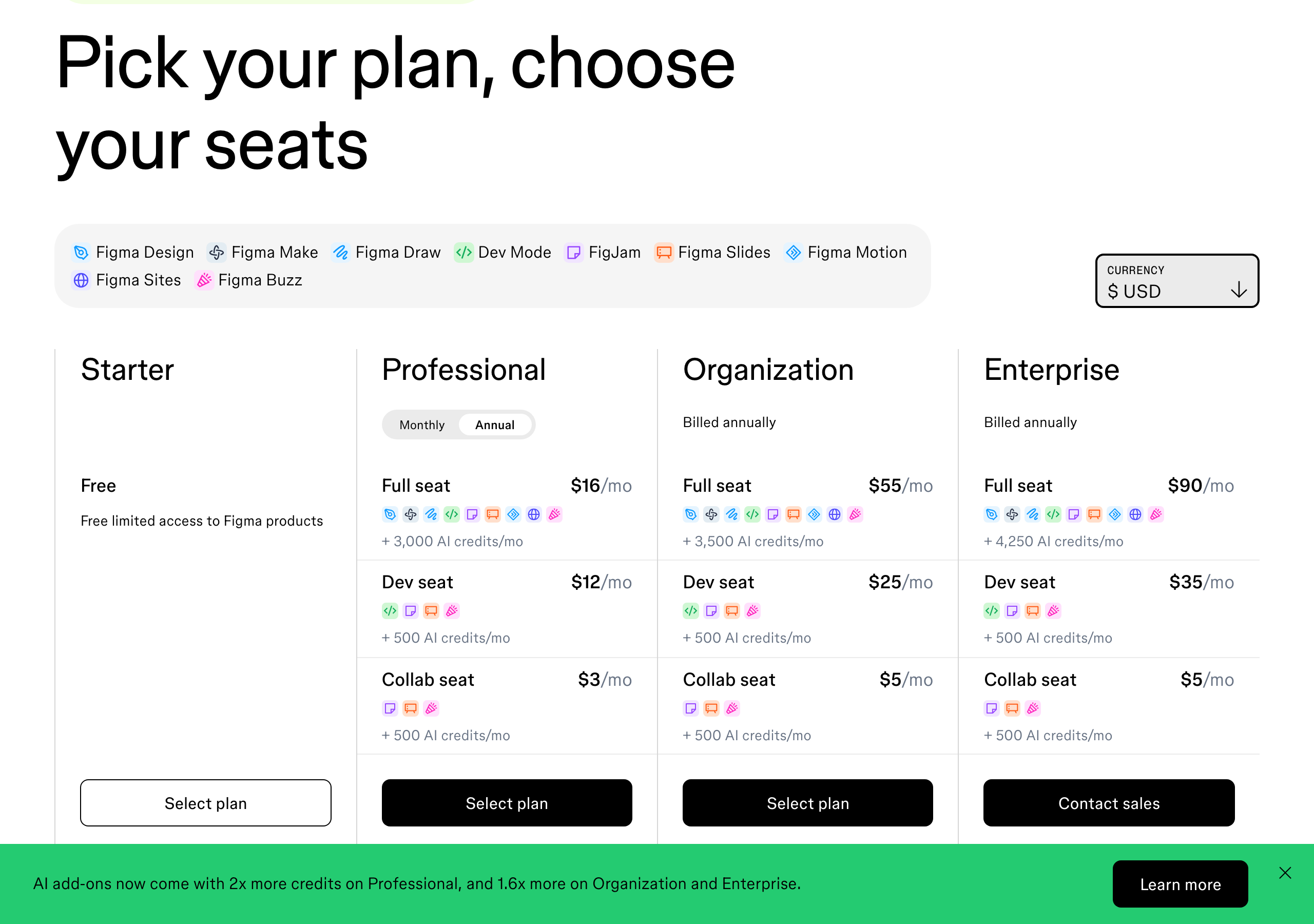
Figma's pricing on 1 October 2026, in US dollars: Starter is free with unlimited drafts and 500 AI credits a month. Professional is seat-based. A Full seat, which gets every Figma product, is $16 a month billed annually or $20 billed monthly. A Dev seat is $12 annual, $15 monthly. A Collab seat is $3 annual, $5 monthly. Organization and Enterprise are annual only, with Full seats at $55 and $90. On any paid plan, people who only view and comment do not need a seat at all.
The friction runs the other way here. Figma is a blank canvas, and a blank canvas stalls people who are not designers. If your week is three carousels and a thumbnail, the learning curve buys you nothing. Every post turns into a small layout project, and I have watched founders do exactly that because Figma felt more serious.
Figma Buzz is Figma doing Canva's job
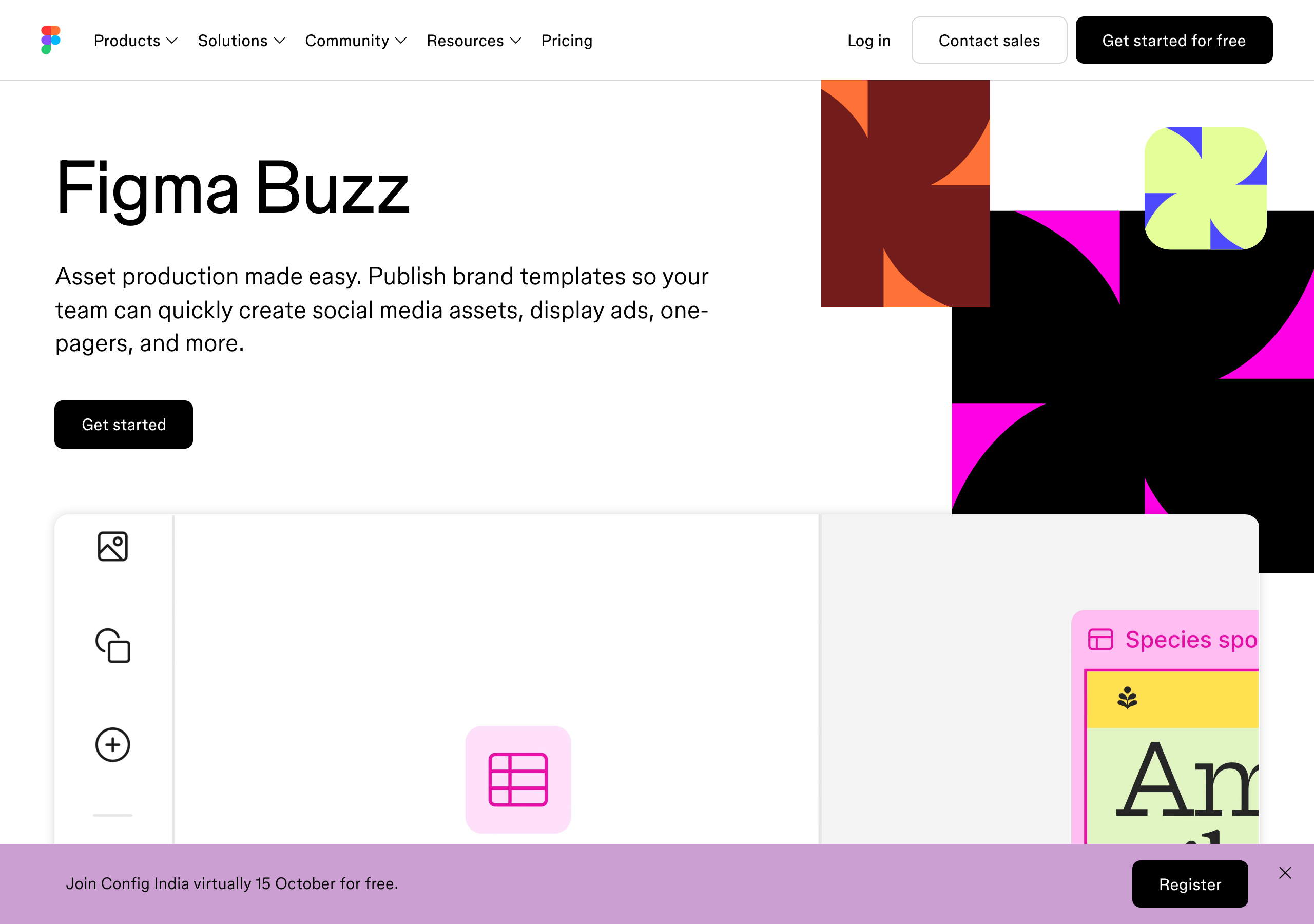
This is the change worth knowing about. Figma Buzz, still labelled beta, is a stripped-down editor for marketing assets: social posts, display ads, one-pagers, event graphics. A designer publishes brand templates and marks which parts can be edited and which are locked. Everyone else opens a template and fills it in.
Read the feature list and it is Canva's playbook. Bulk create and multi-edit across thousands of assets. A grid view of every size at once. Background removal, upscaling, and text rewriting, shortening and translation. Image generation through OpenAI's gpt-image-1 and Gemini. Video import, trim and export. Plugins that pull approved images from a DAM.
And it is cheap to reach. Figma's pricing FAQ says the Collab seat includes full access to FigJam, Figma Slides and Figma Buzz, and the pricing page says Buzz is available on all seats. So on a team that already pays for Figma, a marketer can make on-brand graphics for $3 a month on annual billing. Canva Pro for that same person is $144 a year, four times as much.
Two honest limits. Buzz is beta, and it does not come with Canva's template library: someone on your team has to design the templates first, in Figma, which assumes you have a designer. And Buzz is a reason to stay in Figma, not a reason to join it. If you do not already run a Figma team, signing up for one to make social posts is the wrong way round.
Canva walked the other way, with Affinity
The old argument for graduating from Canva was print and precision: real vector work, proper photo editing, and page layout for anything that goes to a printer. That argument has mostly moved inside Canva.
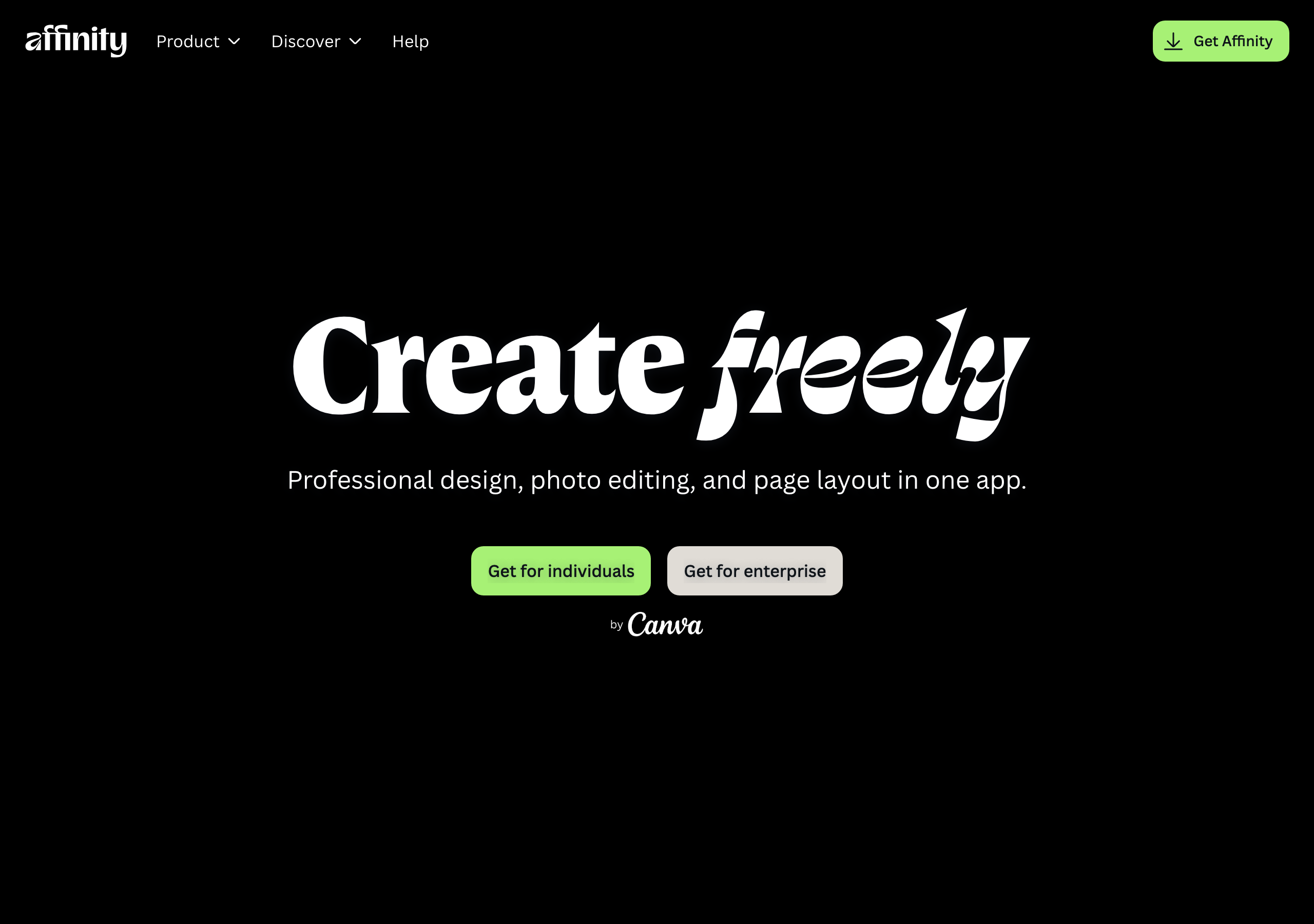
Canva owns Affinity now, the pro design app that does vector, pixel and layout in one file, and it opens PSD, AI and IDML files with their layers intact. Canva's pricing page lists access to Affinity on the Free plan, with Affinity's AI features on Pro and up. Finished .af files export straight into Canva for the team to resize and post.
That still does not make Canva an interface tool, and it is not trying to be. What it does mean is that the person who needs pro-grade graphics without designing software no longer has to pay for a second ecosystem to get it.
The call
Use Canva. For a solo founder or a small brand whose design work is posts, decks, thumbnails and the odd PDF, it is the right seat and Bulk Create is the reason to pay for Pro. Start free, move to Pro the first week you post on a schedule, and spend one afternoon building your own templates so your feed does not look like everyone else's.
Add Figma the day you start designing screens someone will build. Then run both, and do not apologise for it: Figma for the product, Canva for the marketing about the product. If your team already pays for Figma and has a designer who will build the templates, try Buzz on a Collab seat before you buy Canva seats for the marketers.
The wider graphic design review covers Adobe and where it still earns a place, and the full Stack shows where both tools sit next to the rest of what I run.
If the thing you are making gets scrolled past (a carousel, a thumbnail, a deck, a pin), use Canva. If the thing you are making gets clicked through (an app screen, a website layout, a checkout flow someone will build in code), use Figma. That one question settles it for almost everyone, and Canva Pro at US$144 a year is the seat a solo founder actually needs. The real 2026 exception is a team that already pays for Figma: Figma now ships its own Canva-style template tool, Buzz, on a $3 Collab seat, and for that team the second subscription stops making sense.
Honest FAQ
Is Canva or Figma better for beginners?
Canva. You start from a finished template and change the words, so you get something that looks right in minutes. Figma starts from a blank canvas built for interface design, which stalls people who are not designers. Learn Figma when you need to design app or website screens, not before.
Can I use Figma instead of Canva for social media posts?
You can, and in 2026 Figma has a tool built for it: Figma Buzz, a beta editor for social posts, ads and one-pagers with locked brand templates and bulk editing. It makes sense on a team that already pays for Figma and has a designer to build the templates. For a solo founder without a Figma habit, Canva is faster and comes with millions of ready templates.
How much does Canva Pro cost compared to Figma?
Canva Pro is US$144 a year for one person on yearly billing, and Business is US$250 a year per person, per Canva's US pricing page on 1 October 2026. Figma Professional is $16 a month per Full seat billed annually or $20 monthly, with Dev seats at $12 and Collab seats at $3. Both have a free plan.
Is Figma Buzz a Canva replacement?
For a team already on Figma, it can be. Buzz is included on every Figma seat, including the $3 a month Collab seat, and covers templated social posts, ads, bulk edits and AI image generation. It is still in beta and has no large template library, so someone has to design the templates first. For anyone not already on Figma, it is not a reason to switch.
Do I need both Canva and Figma?
Only if you are building a product and marketing it. Figma for the app or website screens, Canva for the posts, decks and graphics about it. They do different jobs, so running both is not duplication. If you are not designing software, Canva alone covers it.
Does Canva have pro design tools like Adobe?
Through Affinity, which Canva owns. Affinity is a professional vector, photo editing and page layout app that opens PSD, AI and IDML files, and Canva's pricing page lists access to it on the Free plan, with its AI features on Pro and up.